There is a new Chrome Extension that allows you to import all your Friends Phone onto your Gmail or a CSV File.
This extension allows you to get your friends information that they shared to you:
- Name
- Emails
- Phone numbers
- Screen names
- Websites
- Address
- Birthdays
Install this free open Source Extension (Facebook Friend Exporter) in your Google Chrome Browser.
Now login to your facebook.com account.
Go to your http://www.facebook.com/friends/edit/

Now click on “Export Friends” (this option will come only if you installed Facebook Friend Exporter properly)
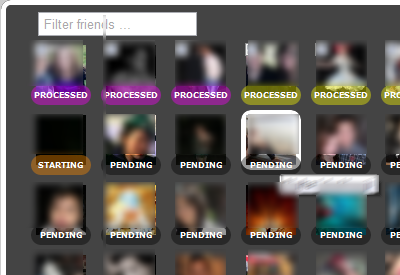
Continue as Directed.
Now, it will ask you to select any of the option (Gmail or CSV) to export the details of your friends profile. (ofcourse you can select both of the options)
Select the desired option and do as directed
InCase you selected GMail, sign in to your Gmail Account

This will work only for 50 profiles at a time, since fb only allows 60 profile views per hour. It will stop after 60 views after which you can restart.
To know: How to export email addresses of all, click here
Note : In wake of fear from Google Plus, the extension might have been banned by Facebook
This extension allows you to get your friends information that they shared to you:
- Name
- Emails
- Phone numbers
- Screen names
- Websites
- Address
- Birthdays
Install this free open Source Extension (Facebook Friend Exporter) in your Google Chrome Browser.
Now login to your facebook.com account.
Go to your http://www.facebook.com/friends/edit/
Now click on “Export Friends” (this option will come only if you installed Facebook Friend Exporter properly)
Continue as Directed.
Now, it will ask you to select any of the option (Gmail or CSV) to export the details of your friends profile. (ofcourse you can select both of the options)
Select the desired option and do as directed
InCase you selected GMail, sign in to your Gmail Account
This will work only for 50 profiles at a time, since fb only allows 60 profile views per hour. It will stop after 60 views after which you can restart.
To know: How to export email addresses of all, click here
Note : In wake of fear from Google Plus, the extension might have been banned by Facebook
No comments:
Post a Comment